
UX Contract › Help Center › Register in SAM.gov
How to register in SAM.gov, step by step
Before a business can win a federal contract it has to be registered in SAM.gov, the government's System for Award Management. Registration is free, it is done online, and most businesses can finish the form in an afternoon once they have the right information in front of them. This walkthrough goes through it in order.
Have these ready before you start
Your business's legal name and address, exactly as the IRS has them
SAM.gov checks your name, address and tax ID against the IRS. If what you type differs from the IRS record by even a word or an abbreviation, the check fails and the registration stalls. Copy them from your IRS letter that assigned your Employer Identification Number (EIN). If you can't find it, the IRS can send a replacement, called a 147C letter.
Your EIN (tax ID)
The nine-digit Employer Identification Number for the business. Sole owners without an EIN can get one free from the IRS online.
A document that shows your legal name and start year
New registrations are asked for a document that proves the business exists, such as articles of incorporation, a state business license or a certificate of formation. It has to show the same legal name you enter.
Your bank account for payment
The government pays by direct deposit, so you'll need the account and routing numbers and the bank's phone number.
Three contacts
SAM.gov asks for a person for accounts receivable, electronic business and government business. In a small company the owner is often all three.
The industry codes for your work
Each kind of work has a six-digit NAICS code: landscaping is 561730, janitorial 561720, roofing 238160. List every code that fits what you do. Our bid search shows the codes agencies use for work like yours.
Utility Trailer at government auction, closing soonest
All utility trailer auctions →Live now on UX Search, from the agencies that sell their surplus. Updated every hour.
 2013 Triton AUT1064 Aluminum Utility Trailer with Custom A-Frame$545.55 · Farmington, NY
closes in 4 days · GovDeals
 1991 Custom Trailer Utility Flatbed, Model 3TT100$58 · Pittsford, NY
closes in 4 days · GovDeals
 2000 RELIANCE UTILITY TRAILER$975 · Virginia Beach, VA
closes in 13 hours · GovDeals
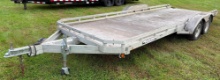 2013 Aluma 7820R Dual-Axle Aluminum Utility Trailer - 7,000-Lb GVWR - 1 Ramp$2,000 ·
 closes in 2 days · Proxibid
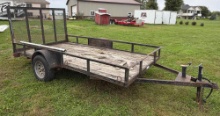 From PC 2000 Starlite 612NT Single-Axle Utility Trailer - 3,500-Lb GVWR$600 ·
 closes in 2 days · Proxibid
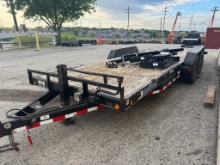 2014 Load Trail 20ft Utility Trailer$900 ·
 closes in 2 days · Proxibid
The registration, in order
Create your SAM.gov account
Go to sam.gov and sign in with Login.gov, which creates your personal account. Use a work email you will keep, and set up more than one way to sign in (a phone app or text as well as backup codes), so you don't lose access later.
Check whether your business is already there
Some businesses already have a Unique Entity ID from an earlier grant or registration. If yours does, ask the person who manages it to give you access instead of starting a new one. If nobody can, SAM.gov's help desk can appoint you through a notarized letter.
Get your Unique Entity ID (UEI)
New businesses request a UEI first. You enter the legal name, address and start date and upload your document, SAM.gov reviews it, and the 12-character UEI is yours permanently.
Choose "All awards"
When SAM.gov asks what the registration is for, choose the option for all awards, which covers contracts as well as grants. The financial-assistance-only option is for grants and does not let you bid on contracts. Picking the wrong one is one of the most common mistakes.
Fill in each section
Business information, your tax information (checked with the IRS), your business types, your bank details, your contacts, and your industry codes. Then come the representations and certifications, the standard statements every contractor makes, including whether your business counts as small for each code. Read each one; they are a legal statement about your business.
Submit and watch your email
Submit with the one-time code SAM.gov emails you. The IRS check usually takes a few days, and new businesses also get a CAGE code from the Defense Logistics Agency, which can add a week or more. If the CAGE office needs something, it emails you from cagereview@dla.mil.
Renew every year
Your registration must be renewed within 365 days, and an expired registration can't receive an award. Put a reminder on your calendar a month before it ends; renewing is free and quicker than the first time.
What holds registrations up
| Problem | How to avoid it |
|---|---|
| Name or address doesn't match the IRS | Copy them exactly from your IRS EIN letter, including "LLC" or "Inc." |
| Chose grants only | Choose all awards so you can bid on contracts |
| Lost access to the account | Set up more than one sign-in method in Login.gov |
| CAGE review request | Answer the cagereview@dla.mil email quickly with the document they ask for |
| Paid a "registration service" | Never needed: SAM.gov is free |
Once you're active, find open bids for your trade, read how to bid, step by step, and see which certifications fit your business.
Sources: SAM.gov's entity registration guide (free registration, renewal every 365 days, at least ten business days to activate); SAM.gov registration training material, June 2026 (IRS and CAGE review times, common problems). Help for problems inside SAM.gov comes from the Federal Service Desk at fsd.gov. SAM.gov changes its screens from time to time, so a few labels may read differently.
Read the story
UX Auctions → A $73,500 Camper for $39,800? FEMA's Surplus Auction Just Shocked the RV WorldA $21,050 Forest River sold for $12,725. A massive 2025 Forest River with a J.D. Power average retail value of $73,500 sold for $39,800. FEMA even rolled out 2026-model campers. This is a corner of government auctions most people never realized existed, and it delivered some of the most dramatic price spreads of the year.UX Auctions · Oct 1, 2026